Parcourir les catégories
Explorer
Fiverr Pro
Français
$
USD
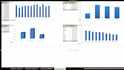
Transformez vos données brutes en tableaux de bord Excel professionnels
Vous cherchez des tableaux de bord Excel interactifs, professionnels et faciles à comprendre ? Je peux vous aider à transformer des données complexes en insights significatifs pour une meilleure prise de décision.
Mes services incluent :
>Création de tableaux de bord Excel
>Suivi des KPI et reporting exécutif
>Analyse de la performance commerciale
>Reporting des dépenses et finances
>Analyse de la rentabilité
>Tableaux de bord de gestion des stocks
>Systèmes d’alerte de stock faible
>Rapports MIS
>Tableaux croisés dynamiques et graphiques
>Nettoyage et organisation des données
>Formules Excel avancées
>Segments interactifs et filtres
Fonctionnalités du tableau de bord :
>Tendances des ventes et des dépenses
>Suivi des KPI
>Suivi des stocks
>Analyse du bénéfice net
>Rapports automatisés
>Design professionnel et convivial
Pourquoi me choisir ?
>Travail précis et détaillé
>Solutions axées sur l’entreprise
>Communication rapide
>Livraison à temps
>Priorité à la satisfaction du client
Que vous soyez propriétaire d’entreprise, comptable, startup ou manager, je peux créer des solutions Excel personnalisées selon vos besoins.
Veuillez me contacter avant de passer commande pour discuter de votre projet et garantir le meilleur résultat possible.




Technologie:
Excel
•
Google Sheets
•
Power BI
•
vba
•
mySQL
Expertise:
Alertes
•
Analyses de l'activité
•
Tendances
•
Autres
Langage de programmation:
Autres
Traduction automatique
De quoi avez-vous besoin pour démarrer le projet ?
Veuillez fournir vos fichiers de données Excel/CSV ainsi qu’une brève description de vos besoins, KPI, et mise en page souhaitée du tableau de bord (si applicable).
Pouvez-vous créer des tableaux de bord pour la vente, la finance, la gestion des stocks et le reporting MIS ?
Oui. Je peux créer des tableaux de bord interactifs pour l’analyse des ventes, le reporting financier, le suivi des dépenses, la gestion des stocks, le suivi des KPI et le reporting MIS.
Mes données resteront-elles confidentielles ?
Oui. Selon le package choisi, je peux travailler avec des ensembles de données allant de quelques centaines à des dizaines de milliers d’enregistrements.
Pouvez-vous automatiser les rapports avec Pivot Tables et Power Query ? Réponse :
Oui. Je peux automatiser le nettoyage des données, la génération de rapports et la mise à jour des tableaux de bord en utilisant Pivot Tables, Power Query, des formules et des techniques d’automatisation Excel.


